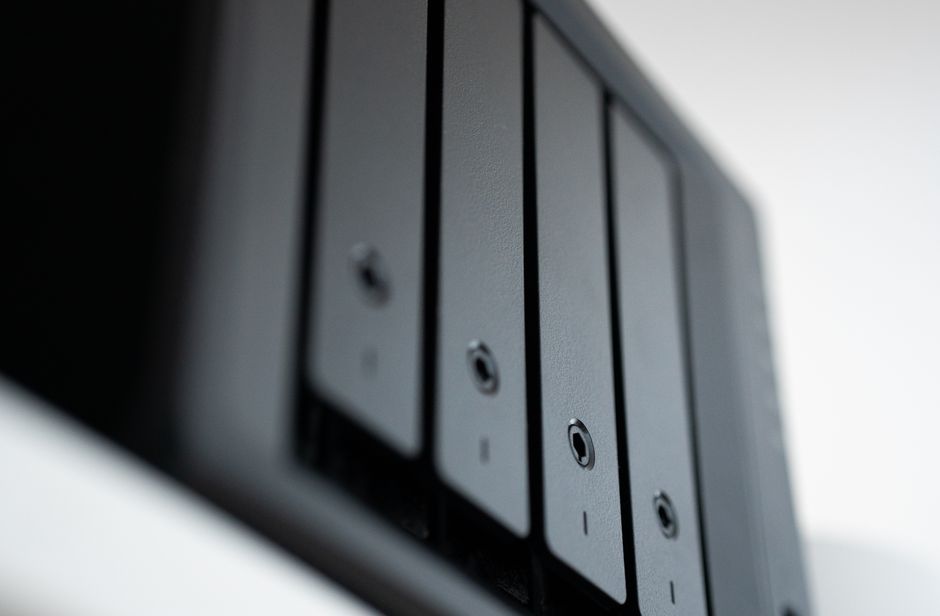
Image by: Jakub Zerdzicki
Imagine this: It is 3:00 AM, and your monitoring dashboard lights up with critical alerts. An advanced ransomware strain has bypassed your perimeter defenses, and instead of just encrypting your production servers, it has spent the last forty-eight hours systematically identifying, accessing, and deleting your most precious asset—your backups. In the modern threat landscape, traditional backups are no longer a safety net; they are a primary target. To survive, system administrators must shift from standard backup routines to a sophisticated defense strategy involving air-gapped and immutable backup architectures. This guide provides a technical deep dive into building a resilient data fortress, covering everything from WORM storage to Zero Trust principles, ensuring that when an attack occurs, your ability to recover remains untouched.
The evolution of ransomware and the failure of traditional backups
For years, the gold standard for data protection was the 3-2-1 rule: three copies of your data, on two different media, with one copy offsite. While sound in principle, this model was designed for hardware failure and natural disasters, not for intelligent, malicious actors. Modern ransomware operators utilize “double extortion” and “triple extortion” tactics, where they don’t just encrypt files; they actively hunt for backup catalogs and management consoles to ensure the victim has no choice but to pay the ransom.
In recent years, we have seen a massive shift in attacker behavior. Instead of simple encryption, attackers now employ lateral movement. Once they gain a foothold in a standard administrative workstation, they sniff for credentials that have permissions to delete cloud snapshots or wipe storage arrays. If your backup repository is “online” and accessible via the same domain controller or identity provider as your production environment, it is effectively a sitting duck.
Statistics from recent CISA reports suggest that ransomware attacks targeting backup systems specifically have increased significantly. When an attacker can delete your snapshots, your recovery time objective (RTO) becomes infinite because the data no longer exists. This is why the industry is moving toward a paradigm where the backup environment is not just separate, but fundamentally “un-deletable” and “unreachable” through standard network paths.
Implementing air-gapped architectures for data isolation
An air-gap is a security measure that ensures a computer or network is physically or logically isolated from unsecure networks, such as the public internet or even your internal corporate LAN. In the context of backups, an air-gap provides a “physical break” that an attacker cannot jump across via software vulnerabilities alone.
There are two primary types of air-gaps that security engineers should consider:
Physical air-gaps
This is the traditional method involving physical media like LTO tapes. Once the tape is ejected and stored in a fireproof safe, there is no electronic pathway for an attacker to reach it. While highly secure, it introduces significant latency in recovery times and requires manual intervention, which can be problematic for modern high-availability requirements.
Logical air-gaps
For modern enterprises, physical tapes are often too slow. Logical air-gapping uses software-defined networking (SDN) to create an “impenetrable” gap. This involves using a “data bunker” architecture where the backup destination is disconnected from the production network by default. The connection is only opened via a controlled, unidirectional gateway (often a data diode) for the specific duration of the backup window, and then immediately shut down.
Implementing a logical air-gap requires strict network segmentation. You should treat the backup management network as a separate, highly restricted enclave. Even within your organization, advanced security frameworks suggest that the backup management plane should never be accessible from the standard corporate VPN or user workstations.
Understanding immutable storage and WORM technology
If the air-gap is the “shield” that keeps attackers away, immutability is the “armor” that protects the data if the shield is pierced. Immutability refers to the property of a data object that prevents it from being modified, overwritten, or deleted for a specified period of time.
The core technology behind this is WORM (Write Once, Read Many). In a WORM-enabled environment, once a backup block is written to the storage medium, the firmware or the storage operating system enforces a rule: no command—regardless of the user’s privilege level—can delete or alter that data until the retention timer has expired.
To help you decide which implementation is right for your environment, refer to the following comparison of storage approaches:
| Feature | Standard NAS/SAN | Tape (Physical Air-Gap) | Immutable Object Storage (S3) | WORM-Enabled File Systems |
|---|---|---|---|---|
| Immutability Type | None (Mutable) | Physical (Hard) | Logical (Object Lock) | Logical (Software-defined) |
| Recovery Speed | Very Fast | Slow (Manual) | Fast | Fast |
| Protection Level | Low (Admin can delete) | Extremely High | High (If configured correctly) | High |
| Complexity | Low | High (Physical handling) | Moderate | Moderate |
When configuring WORM, it is critical to implement a Compliance Mode rather than a Governance Mode. In Governance Mode, certain users (usually high-level admins) can still bypass the lock. In Compliance Mode, even the root administrator or the storage provider cannot delete the data until the timer expires. This is the ultimate defense against the “rogue admin” or the “compromised admin” scenario.
Optimizing cloud security with S3 Object Lock
As enterprises migrate to the cloud, the concept of immutability has transitioned into S3 Object Lock. This feature, available in Amazon S3 and many S3-compatible on-premises solutions, allows you to store objects in a “protected” state. For system administrators, integrating this into the AWS S3 ecosystem is a critical step in modernizing backup workflows.
To successfully implement S3 Object Lock, you must manage three key components:
- Retention Periods: You must determine a timeframe that balances security with cost. If you set a 7-year retention for all backups, you will pay for that storage even if the data is no longer needed. Use tiered storage classes (like Glacier Deep Archive) to offset costs while maintaining immutability.
- Versioning: Object Lock requires S3 Versioning to be enabled. This ensures that every time a file is “modified,” a new version is created rather than the original being overwritten, preserving the integrity of the historical state.
- Legal Hold: Unlike retention periods, which expire automatically, a “Legal Hold” is an indefinite lock placed on an object. This is useful during forensic investigations or when an active security incident is being mitigated.
A major pitfall for many engineers is failing to secure the S3 bucket policies. Even with Object Lock enabled, if an attacker has `s3:DeleteBucket` permissions, they can simply delete the entire bucket rather than the individual objects. Therefore, bucket-level protection must be paired with identity-level restrictions.
Zero-trust access and automated recovery validation
Even with air-gaps and immutability, a backup architecture is only as strong as its access controls and its verified integrity. This is where the Zero Trust model becomes essential. In a Zero Trust architecture, we operate under the assumption that the network is already compromised. Consequently, “trust” is never granted implicitly based on being inside the network; it must be continuously verified.
For backup administrators, this means implementing Multi-Factor Authentication (MFA) for every single administrative action related to the backup environment. We recommend MFA Delete, which requires a secondary token to authorize any request to change the versioning state or delete an object. Furthermore, use Just-In-Time (JIT) access, where administrative privileges are granted only for a specific window of time and for a specific task, rather than having permanent “always-on” admin rights.
Finally, you must automate your recovery validation. A backup that has not been tested is not a backup; it is a “hope.” Modern ransomware often sits dormant for weeks, slowly infecting files before the payload is triggered. If you back up infected files, your “immutable” recovery will simply restore the malware.
Actionable steps for validation:
- Automated Sandboxing: Use automated scripts to spin up isolated, ephemeral VMs in a sandbox environment.
- Integrity Checksums: Implement automated SHA-256 checksum verification for every data block transferred.
- Data Content Scanning: Integrate tools that scan backup sets for known ransomware file extensions or high entropy (indicating encryption) to detect “silent” attacks before they are committed to immutable storage.
By following these steps, you transform your backup strategy from a passive storage routine into an active, resilient defense mechanism that ensures business continuity in the face of even the most sophisticated threats.
Frequently asked questions
What is the difference between Governance Mode and Compliance Mode in S3 Object Lock?
Governance Mode allows users with special permissions (like the account root) to bypass retention settings. Compliance Mode is much stricter; once the policy is set, no user—not even the root administrator—can delete the data until the retention period expires. This is the preferred mode for high-security ransomware protection.
Can an attacker delete my backups if I have immutability enabled?
If immutability (WORM) is configured correctly in Compliance Mode and the S3 bucket policies are properly hardened, an attacker cannot delete the protected objects. However, they might still attempt to delete the entire storage account or the bucket itself, which is why strict IAM policies and account-level protections are also necessary.
How does a logical air-gap differ from a physical air-gap?
A physical air-gap involves a physical separation, such as using offline tape media. A logical air-gap uses software and network controls (like unidirectional gateways or scheduled port closures) to isolate the backup network from the production network, providing similar security benefits without the manual labor of physical media management.
Why is automated recovery testing important for ransomware protection?
Automated testing ensures that your backups are not only present but are actually functional and free of corruption or malware. It prevents the “recovery failure” scenario where an organization discovers their backups are unusable only during an actual emergency.
Conclusion
Building a resilient backup architecture is no longer an optional luxury for IT departments; it is a core requirement for business survival in the age of ransomware. By moving away from vulnerable, mutable storage and embracing air-gapped and immutable architectures, you create a “last line of defense” that is mathematically and logically protected from unauthorized alteration. Remember, the combination of WORM technology, S3 Object Lock, Zero Trust access controls, and rigorous automated recovery validation forms a multi-layered shield that can withstand even the most aggressive cyberattacks.
Do not wait for an incident to audit your current backup strategy. Start by auditing your current retention policies, implement MFA for all storage management, and begin integrating immutable object storage into your disaster recovery plan today. Secure your data today to ensure your business can recover tomorrow.