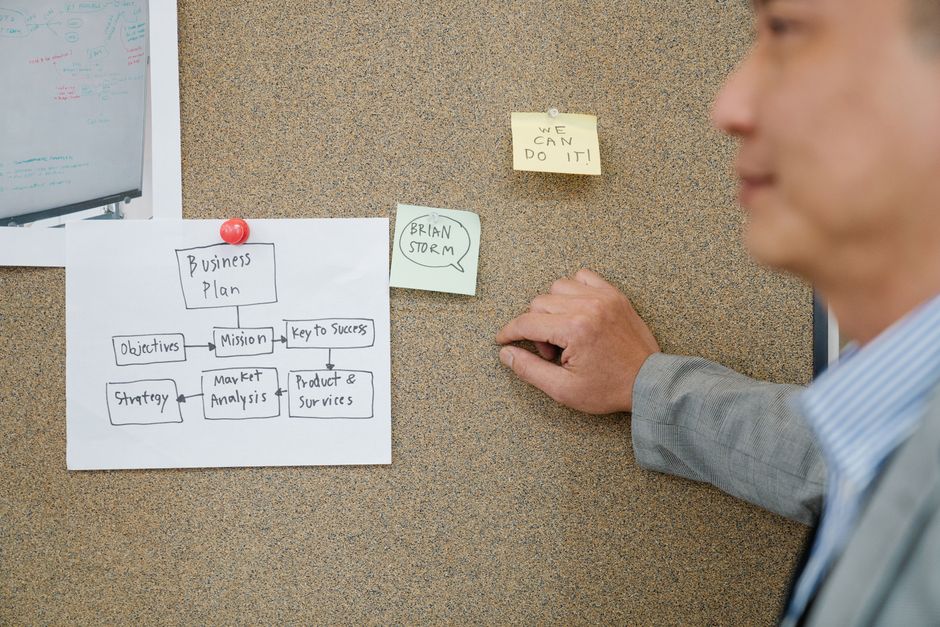
Image by: Felicity Tai
Did you know that according to recent industry studies, 40% to 60% of small to medium enterprises that experience a major IT outage never fully recover their previous level of business? For enterprise IT architects and systems administrators, a single hour of downtime can translate into millions of dollars in lost revenue, regulatory fines, and irreparable brand damage. Building a resilient business continuity framework is no longer an optional insurance policy; it is a core requirement for digital survival in a landscape of increasing cyber threats and infrastructure complexity. In this guide, we will move beyond the basics of data backups to explore the sophisticated architectures required for high-availability hybrid cloud environments, detailed business impact analysis, and the automated testing protocols necessary to ensure your recovery strategies actually work when a crisis hits.
The foundation of resilience: moving beyond simple backups
For decades, the IT industry viewed “Disaster Recovery” (DR) as a secondary concern, often relegated to a few tapes sitting in an off-site storage facility. However, the modern enterprise operates in a world of microservices, distributed databases, and hybrid cloud configurations that make traditional backup methods insufficient. A true business continuity framework is not just about having a copy of your data; it is about the ability to maintain essential business functions during and after a disaster.
A modern framework must address three critical dimensions of resilience:
- Data Integrity: Ensuring that the data being replicated is not corrupted and is consistent across all nodes.
- Service Availability: Ensuring that the applications, not just the data, are accessible to end-users through failover mechanisms.
- Operational Readiness: Ensuring that the human element—the sysadmins and SREs—know exactly what to do when the automated triggers fire.
- Identify Business Processes: List every function the company performs, from payroll processing to real-time manufacturing telemetry.
- Quantify Impacts: For each process, determine the impact of a disruption in terms of financial loss, legal/regulatory penalties, and reputational damage.
- Identify Dependencies: Map out the IT dependencies for each process. This includes specific servers, cloud instances, third-party APIs, and network circuits.
- Determine Criticality: Rank processes based on their impact. This informs the RTO and RPO assignments discussed in the previous chapter.
- Active-Active Configuration: Traffic is distributed across two or more sites simultaneously. If one site fails, the others continue to serve traffic with virtually zero downtime. This is the gold standard for Tier 0 applications but is the most expensive and complex to implement due to the need for complex load balancing and data synchronization.
- Active-Passive (Warm Standby): A secondary site is kept in a ready state, with data being continuously replicated from the primary site. If the primary fails, the secondary is “promoted” to primary. This offers a middle ground between cost and recovery speed.
- Pilot Light: The minimum resources necessary are kept running in the cloud (usually just the database) to ensure data is up to date. During a disaster, a full fleet of application servers is provisioned via Infrastructure as Code (IaC). This is highly cost-effective for Tier 2 and Tier 3 applications.
- Chaos Engineering: Inspired by tools like Netflix’s Chaos Monkey, chaos engineering involves intentionally injecting failures into a production or staging environment to see how the system responds. This helps identify hidden dependencies and weaknesses in the failover logic.
- Automated DR Drills: Use orchestration tools (like VMware Site Recovery Manager or Azure Site Recovery) to run scheduled, automated failover drills. These drills should be non-disruptive, using isolated network segments to ensure testing doesn’t impact live production traffic.
- Drift Detection: Use Configuration Management tools (Ansible, Terraform, Puppet) to ensure that the target failover environment is an exact mirror of the production environment. “Configuration drift”—where the secondary site’s software versions or security patches differ from the primary—is a leading cause of failed failovers.
- The Emergency Contact Tree: A clear list of stakeholders, including IT leads, executive leadership, legal counsel, and third-party vendor support contacts.
- Crisis Communication Protocols: How will you communicate with employees and customers? (e.g., an external status page, SMS alerts, or internal Slack channels).
- Step-by-Step Execution Playbooks: For every critical service, there should be a “playbook” that outlines exactly which commands to run, which consoles to log into, and which sequence of servers to bring online first.
- Failback Procedures: Many organizations forget that once the crisis is over, they must “failback”—moving operations from the DR site back to the original site. This is often more complex and data-intensive than the initial failover.
p>Architects must shift their mindset from “if we fail” to “when we fail.” This proactive stance requires integrating redundancy into the design phase of the infrastructure rather than treating it as an afterthought. Whether you are managing an on-premises data center or a sprawling hybrid cloud infrastructure, the goal is to create a seamless abstraction layer where the application can migrate between environments without losing state or context.
Defining recovery objectives: RTO vs. RPO
Before an architect can design a failover mechanism, they must understand the business’s tolerance for downtime and data loss. This is where we define the two most critical metrics in disaster recovery: Recovery Time Objective (RTO) and Recovery Point Objective (RPO). Failing to differentiate between these two is a common pitfall that leads to over-provisioning expensive resources or, conversely, catastrophic business failure.
Understanding RTO and RPO
Recovery Time Objective (RTO) is the duration of time within which a business process must be restored after a disaster to avoid unacceptable consequences. In simpler terms, it answers the question: “How long can we afford to be down?” For a mission-critical banking application, the RTO might be seconds; for an internal HR portal, it might be 24 hours.
Recovery Point Objective (RPO) refers to the maximum age of files that must be recovered from storage for normal operations to resume if a computer, event, or device fails. It essentially defines the amount of data loss an organization can tolerate. If you back up your database every 4 hours, and a crash occurs 3 hours and 59 minutes after the last backup, your RPO is nearly 4 hours of lost transactions.
| Criticality Level | Application Type | Target RTO | Target RPO | Recommended Strategy |
|---|---|---|---|---|
| Tier 0 | Customer-facing transactions | < 30 seconds | Near Zero | Active-Active Multi-region |
| Tier 1 | Core ERP/Database systems | < 4 hours | < 15 minutes | Warm Standby / Asynchronous Replication |
| Tier 2 | Internal productivity tools | < 24 hours | < 4 hours | Pilot Light / Snapshot-based recovery |
| Tier 3 | Archival/Historical data | < 72 hours | < 24 hours | Cold Storage / Tape/ Cloud Archive |
Aligning these technical metrics with business priorities is essential. For more insights on managing enterprise resources, you can explore strategic IT resource management to ensure your budget aligns with your criticality tiers.
Conducting a business impact analysis (BIA)
A Business Impact Analysis (BIA) is the cornerstone of any successful continuity framework. It is a systematic process to determine the potential effects of an interruption to business operations as a result of a disaster, accident, or error. Without a thorough BIA, IT teams often waste resources protecting low-value assets while leaving critical “crown jewels” vulnerable.
The BIA Workflow
A common mistake during the BIA is failing to account for interdependencies. For example, an architect might ensure the database is highly available, but forget that the authentication service (like LDAP or Azure AD) is hosted in a single location. If the authentication service fails, the database is useless. A robust BIA must look at the “full stack” of dependency, including human resources and third-party vendors.
“A disaster recovery plan is only as strong as its weakest dependency. If your application depends on a third-party API that lacks an SLA, your application’s availability is no longer under your control.”
Designing multi-site failover for hybrid cloud environments
With the rise of distributed workforces and edge computing, the modern architecture must support failover across heterogeneous environments. A hybrid cloud approach—combining on-premises hardware with public cloud services like Amazon Web Services (AWS) or Microsoft Azure—offers the ultimate flexibility but introduces significant complexity in failover design.
Multi-site Failover Strategies
When designing for high availability, architects generally choose between three primary patterns:
In a hybrid environment, networking is the primary friction point. Utilizing technologies like SD-WAN (Software-Defined Wide Area Network) and dedicated interconnects (like Direct Connect or ExpressRoute) is vital to ensure that the latency between your on-premise data center and your cloud failover site doesn’t break your data replication protocols. For more advanced architectural patterns, refer to the Site Reliability Engineering (SRE) principles for managing distributed systems.
Automated testing protocols and continuous validation
The most dangerous phrase in IT is: “It worked in the last drill.” Traditional disaster recovery plans often fail during actual emergencies because they were tested months ago under different configurations. To build a truly resilient framework, you must move toward Continuous Validation.
Automated testing protocols ensure that your failover mechanisms actually work in real-world scenarios. This involves more than just checking if a server can ping another server; it involves end-to-end functional testing of the entire application stack.
Implementing Automated Testing
If you are managing complex infrastructure, it is essential to use automation frameworks to manage the lifecycle of your recovery assets. Without automation, the “human error” factor becomes your biggest vulnerability during a high-stress disaster event.
Building a comprehensive disaster recovery plan
The final component of your framework is the documented Disaster Recovery Plan (DRP). While much of our discussion has focused on technical architecture, the DRP is the manual that guides your team through the chaos of a crisis. A technical failure is often accompanied by high-pressure, high-stress human environments; your plan must account for this.
A professional-grade DRP must include:
Finally, remember that a DR plan is a living document. It must be reviewed and updated every time there is a significant change to the infrastructure. An outdated DR plan is arguably more dangerous than having no plan at all, as it provides a false sense of security.
Frequently asked questions
What is the difference between Business Continuity (BC) and Disaster Recovery (DR)?
Business Continuity is the high-level strategy of ensuring that all business functions can continue during a disruption. Disaster Recovery is a subset of BC that specifically focuses on the technical processes of restoring IT systems and data after a failure.
How often should we conduct disaster recovery testing?
For critical enterprise systems, testing should occur at least quarterly. However, many modern organizations adopt a “continuous testing” approach using automated tools and chaos engineering to ensure resilience is maintained as the environment evolves.
Why is hybrid cloud failover so complex?
Complexity arises from the need to manage different networking layers, data synchronization latencies, and security protocols across both on-premises and cloud environments. Ensuring data consistency across these disparate platforms is the primary challenge.
Can we achieve zero RPO in a hybrid cloud setup?
Yes, but it requires “Synchronous Replication,” where data must be written to both the primary and secondary locations before the write is considered successful. This requires extremely low latency between sites and can impact application performance.
Conclusion
Building a resilient business continuity framework is a journey of continuous improvement rather than a one-time project. By defining clear RTO and RPO metrics through a thorough Business Impact Analysis, designing robust multi-site failover mechanisms for hybrid clouds, and implementing automated testing protocols, enterprise IT architects can transform their infrastructure from a point of vulnerability into a pillar of organizational strength. Remember: a resilient architecture is not one that never fails, but one that fails gracefully and recovers predictably. Start by auditing your current dependencies today, and begin building the automated, validated, and documented framework your business needs to survive the unexpected. For more expert guidance on optimizing your IT operations, stay tuned to our technical deep dives.